How to Remove a Mugshot From Mugshots.zone
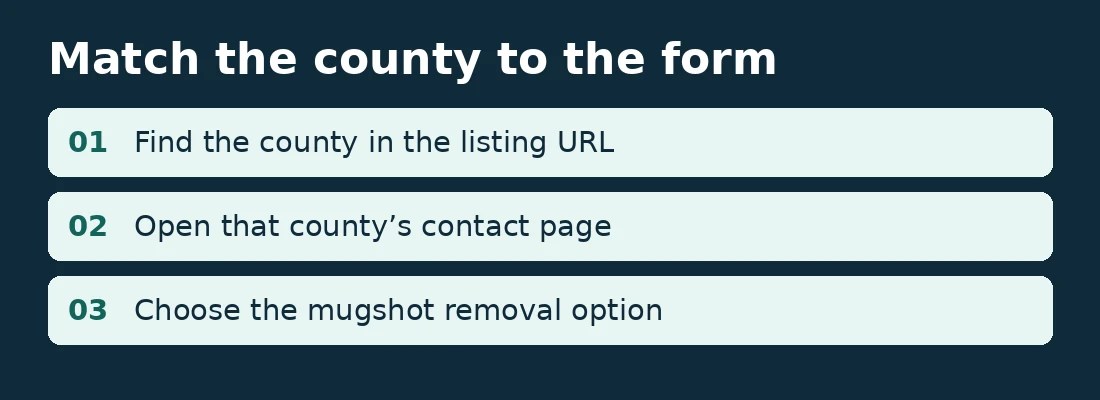
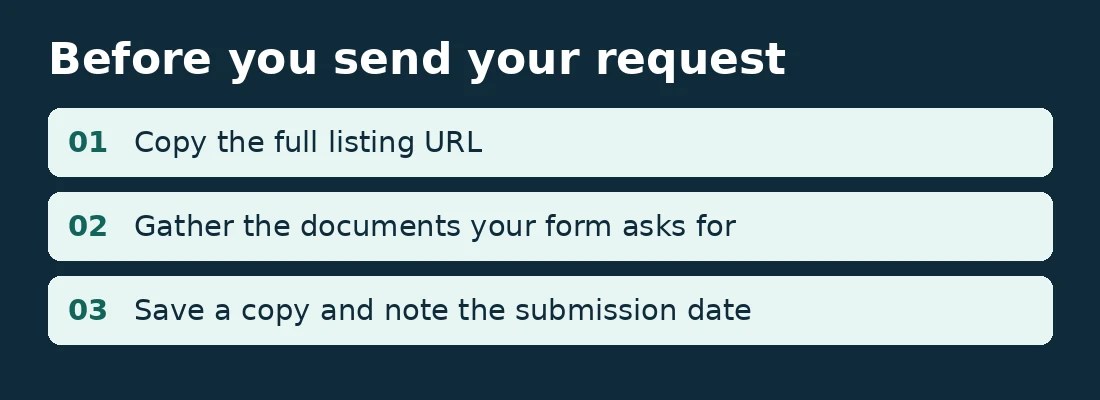
Start with the full URL of your Mugshots.zone listing, including the county subdomain. Open that county’s contact page and look for the mugshot removal option. Have the exact listing URL and any supporting documents ready before you submit.
Request a Mugshots.zone listing review
Send the full Mugshots.zone link so we can see which listing you want removed and discuss your options. If you don’t have the link yet, tell us the county and state. Please leave out court documents, ID numbers, and other sensitive details.



How to submit a Mugshots.zone removal request
- Copy the listing link. Include the county subdomain and the full page path. If you found the listing through Google, open the result and copy the publisher’s URL from the address bar.
- Match the form to the listing. For example, use the Nassau County contact page for a listing on
nassaufl.mugshots.zone. - Check what the form requires. Gather the documents requested for your situation. Save a copy of what you submit and note the date.
- Check the original link again. Open the exact listing URL after the review period. If you find the same photo on another URL, record that link separately.
What documents does Mugshots.zone ask for?
The publisher’s Nassau County form and Palm Beach County form ask for the listing URL, a callback number, and supporting documentation. Both describe requests involving an error or outcomes such as dismissal, sealing, expungement, or a not-guilty verdict. They also say they accept an attorney’s letter documenting the outcome. Check your county’s form for the requirements that apply to your listing.
How long does the publisher’s review take?
The Nassau and Palm Beach forms list 5–10 days for verification and removal. Check the timing stated on your county’s form. Approval depends on the publisher’s review.
What if the mugshot still appears in Google?
Open the original listing first. If the page or image is gone, or the page has changed significantly, you can ask Google to refresh its result using the Refresh Outdated Content tool. If the original still shows the mugshot, check your options with the publisher first.
Get help with your listing
This guide is provided by Mugshots Zone Removal. The linked county forms are operated by Mugshots.zone. If you’d like help with removal, request a listing review or call 844-272-0284. Have the listing link handy.
Publisher forms and Google guidance reviewed November 7, 2026.

